eEnrolment
Move subjects from screening to randomisation without leaving the platform. Eligibility checklists, auto study matching, and per-subject status tracking keep sites organised and reduce screen-failure surprises.
What you get
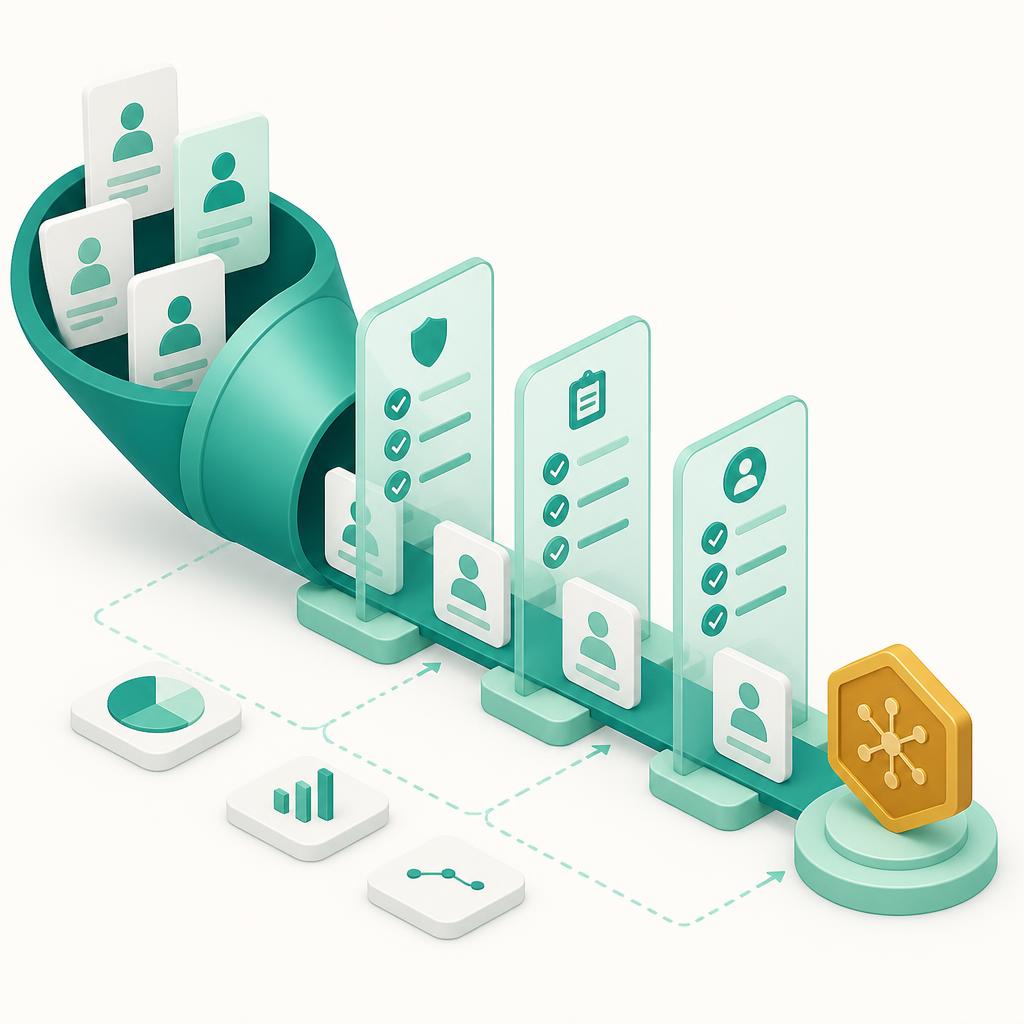
eEnrolment gives sites one connected funnel from first contact to randomisation. The CRC works screening checklists on desktop while eligibility logic flags ins/outs in real time, so screen failures surface early instead of at the visit. Subjects can pre-screen and submit their details from the mobile app before they ever set foot on-site, and the PI signs off eligibility decisions with a full record of who decided what and when.
Onboarding
eEnrolment
Purpose-built for hybrid & decentralized trials — one workflow across desktop and mobile.
Desktop for study teams, mobile for subjects
eEnrolment works across the ProCTTH hybrid platform — site staff (CRC, PI, CRA) work on the desktop web console, while subjects access the study from the mobile app.
Desktop console
CRC · PI · CRA
CRC manages the screening queue, completes eligibility checklists, and advances subjects through each status. PI reviews and approves eligibility; CRA monitors enrolment progress against targets.
Mobile app
Subject
Subjects complete pre-screening questionnaires, submit their information, and track their own enrolment status and next steps from the app.
From setup to outcome
Capture interest
Subjects pre-screen from the mobile app or are added by the site from referrals.
Screen for eligibility
CRC works the checklist while inclusion/exclusion logic flags issues in real time.
Confirm & approve
PI reviews eligibility and approves the subject for enrolment with a recorded decision.
Randomise
Eligible subjects are randomised through the integrated workflow and move into the visit schedule.
Common questions
Can subjects pre-screen themselves?
Yes. Subjects can complete a pre-screening questionnaire in the mobile app before any site visit, reducing wasted screening slots.
How does randomisation work?
Randomisation is integrated into the enrolment flow, so eligible subjects move from approval to allocation without a separate system.
Can we track enrolment against targets?
Site enrolment dashboards show screening, screen-fail, and randomisation counts so sites and CRAs can track progress live.